How to Keep Your Mobile Money Safe (M-Pesa, Airtel & More)
A practical, honest guide to keeping your mobile money safe — spotting common M-Pesa, Airtel & MTN MoMo scams and the simple habits that stop them.
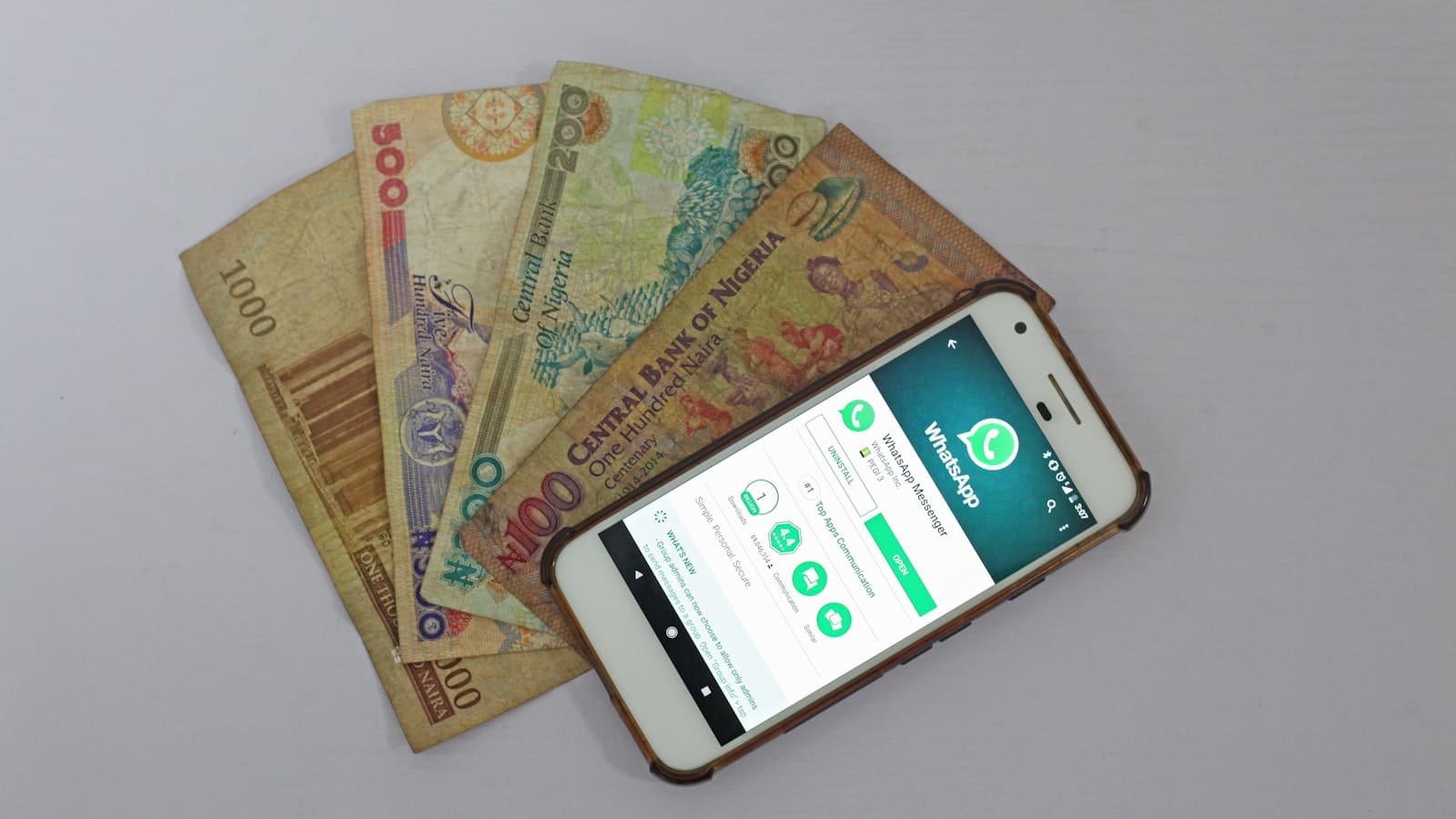
A friend of mine — a careful, intelligent woman who runs a small shop — almost lost her month's earnings to a phone call. The caller knew her name. He said he was from her mobile money provider, that there had been "a system error," and that a payment had accidentally landed in her account. To reverse it, he said, she just needed to read back the code that had just arrived by SMS. The message had indeed arrived. It looked official. His voice was calm and apologetic, and he was in a hurry.
She read out the first three digits before something in her stomach turned, and she hung up. That code was not a reversal code. It was the one-time password that would have let him take over her account or confirm a withdrawal. Three more digits and the money would have been gone — not stolen by force, but handed over politely, by her own hand.
I tell this story because it is the most important thing to understand about mobile money fraud: almost none of it is hacking. It is persuasion. M-Pesa, Tigo Pesa, Airtel Money and MTN MoMo are, for most of us, daily life — we pay for tomatoes, school fees, fuel and rent through them. The systems themselves are reasonably well protected. The weak point is us, in a moment of trust or panic. So this guide is less about technology and more about the few habits that quietly close the door.
Why these scams actually work
Every successful mobile money scam runs on two emotions: urgency and trust. The scammer manufactures a reason you must act right now — a payment to reverse, an account about to be blocked, a prize that expires today — and pairs it with something that feels trustworthy: a familiar logo, your real name, the right brand colours, or a number that looks official.
Urgency switches off the slow, careful part of your brain. Trust lowers your guard. Put them together and an ordinary person does something they would never do with a clear head. Knowing this is half the defence. Whenever you feel rushed and reassured at the same time, treat that feeling itself as the warning sign.
The scams you will actually meet
Here are the ones I see again and again. The details shift, but the shapes repeat.
The "I sent you money by mistake — please reverse it" trick. You get an SMS that looks like a payment confirmation, then a call from a distressed stranger begging you to send "their" money back. The confirmation is fake or doctored. The money never arrived. If you send "it" back, you are sending your own.
The fake agent or customer-care call. Someone claims to be from the provider, often citing a "problem" with your account. They ask you to confirm your PIN, read out an OTP, or dial a code. No real provider works this way.
SIM-swap fraud. A criminal convinces your network to move your number to a new SIM card — sometimes using personal details gathered from social media or earlier scams. Once they control your number, they control the OTPs sent to it. A sudden, unexplained loss of network signal can be the first sign.
Fake promo and "you have won" messages. A message says you have won a car, a phone, or a cash prize, and asks for a "small fee" or your PIN to release it. The prize does not exist; the fee and your details are the real target.
Phishing links. An SMS or WhatsApp message with a link to "verify your account," "claim a refund," or "update your details." The page looks like the provider's, but it is a trap to capture your credentials.
Fake customer-care numbers. You search online for help, find a number that claims to be the provider's support line, and call it — straight into a scammer's hands. Always use the official short code printed on your provider's real channels, not whatever a search engine surfaces.
The habits that keep your money safe
You do not need to be a security expert. You need a handful of small, boring habits.
Treat your PIN and OTP like the key to your house. Your PIN unlocks your money. Your OTP confirms a specific action. Either one in the wrong hands is enough. Do not say them aloud, do not type them into a link, do not share them to "fix" anything. Genuine staff already have the tools they need on their side — they never need yours.
Verify before you send. Before sending money, slow down and check the name and number on the screen. If someone claims they sent you money, do not act on their word or on a single SMS — check your actual balance directly through the official menu or app. A real incoming payment shows up in your real balance, not just in a message.
Lock your SIM with a PIN. Set a SIM PIN in your phone's settings so the card cannot be used if your phone is lost or stolen. Ask your network how to add extra protection against SIM swaps, such as ID verification before any number transfer.
Check your balance and statements regularly. Knowing your normal balance means you notice the abnormal quickly. The faster you spot something wrong, the better your chances of stopping or reversing it.
Learn your provider's real numbers and channels. Save the official customer-care short code in your phone now, while you are calm — not when you are panicking. When a "support" number reaches you out of nowhere, you will have the real one to compare it against.
What your provider will — and won't — ask
This is worth memorising, because it cuts through almost every scam in one stroke.
A real provider will confirm your identity using details they already hold, ask you to visit a registered agent or official office for certain services, and send transaction confirmations that match your real balance.
A real provider will never ask you to read out your PIN, ask you to share an OTP, ask you to send money to "reverse," "verify," or "unblock" anything, promise prizes in exchange for a fee or your details, or pressure you to act within seconds. Pressure is a tool of fraud, not of legitimate service. When in doubt, hang up and call the official number yourself.
These same instincts protect you well beyond mobile money. If you want to go deeper on the messages-and-links side of things, I wrote a companion piece: How to Protect Yourself from Phishing. And if the broader idea of staying safe online feels fuzzy, start with What is Cybersecurity? A Plain-English Guide.
If something goes wrong: act fast, act calmly
Mistakes and near-misses happen to careful people. What matters is what you do in the first few minutes. Speed genuinely improves your chances.
How-to
What to do if you sent money to the wrong number or suspect fraud
A calm, step-by-step response for when you've sent mobile money to the wrong number or believe you've been targeted by fraud.
Estimated time: PT15M
- 01
Stop and do not send anything more
If you are mid-transaction or being pressured to send another payment, stop immediately. Do not send 'one more' transfer to fix the problem. Scammers rely on a second mistake to recover from your hesitation.
- 02
Contact your provider on the official number
Call the official customer-care short code for your provider — the one you saved earlier, not a number from a stranger or a search result. Report the wrong transfer or suspected fraud right away and follow their instructions.
- 03
Note every detail
Write down the time, the amount, the phone number involved, any transaction or reference IDs, and the names used. This information helps your provider trace the transaction and is essential if you need to report it further.
- 04
Change your PIN if you shared anything
If you read out your PIN, OTP, or typed details into a suspicious link, change your PIN immediately through the official menu and ask the provider to secure your account.
- 05
Report a SIM swap or sudden signal loss
If your phone suddenly loses network for no reason, contact your network operator at once — it may be a SIM swap in progress. Ask them to block the swap and re-secure your number.
- 06
Report to the authorities if needed
For significant losses or clear fraud, file a report with the police or your country's financial-crime or telecom authority. Keep your notes and any reference numbers from your provider to support the case.
The honest truth is that a wrong transfer is not always recoverable, especially if the receiver withdraws the cash quickly. That is exactly why prevention — verifying before you send — matters far more than the cure.
Frequently asked questions
Frequently asked questions
- Will my mobile money provider ever call to ask for my PIN or OTP?
- No. This is the clearest signal of a scam. Legitimate providers never ask you to share your PIN or one-time password by phone, SMS, or any other channel. If anyone asks, hang up — regardless of how official they sound.
- Someone says they sent me money by mistake and wants it back. What should I do?
- Do not rely on their word or a single confirmation SMS, which can be faked. Check your actual balance through the official menu or app. If no real money arrived, there is nothing to return — sending anything would mean giving away your own money.
- What is a SIM swap and how do I protect against it?
- A SIM swap is when a fraudster tricks your network into transferring your number to their SIM card, so they receive your OTPs. Protect yourself by setting a SIM PIN, limiting personal details you share publicly, and asking your operator to add ID verification before any number transfer. Treat sudden, unexplained loss of signal as a warning sign.
- I clicked a suspicious link and entered some details. What now?
- Act quickly. Change your PIN through the official menu, contact your provider's official customer care to secure your account, and watch your balance closely for any unusual activity. The sooner you act, the better your chances of preventing loss.
- How do I find my provider's real customer-care number?
- Use the official short code printed on your SIM pack, in the official app, or on the provider's verified channels — and save it in your phone now, while you are calm. Avoid calling numbers you simply found through an online search, as scammers create fake 'support' listings.
Mobile money has put a bank in everyone's pocket, and that is a genuinely good thing. The price of that freedom is a little quiet vigilance. Keep your PIN and OTP to yourself, slow down when you feel rushed, verify before you send, and you will sidestep the overwhelming majority of fraud — not through clever technology, but through calm, ordinary habits.
Further reading on this site
- How to Protect Yourself from Phishing
- What is Cybersecurity? A Plain-English Guide
- Browse Technology
If this was useful, subscribe to the newsletter for calm, practical writing on staying safe and getting more from the technology in your daily life.
The Newsletter
Liked this essay?
Get the next one in your inbox. One thoughtful email a week, nothing more.
Keep reading
Related articles

How to Protect Yourself from Phishing
A calm, practical guide to spotting and stopping phishing — the small habits that protect 99% of people from email, SMS, and mobile-money scams.
June 10, 2026 · 10 min read
Passwords Are Dying: A Practical Guide to Passkeys in 2026
Why passwords keep failing, how to fix them today, and how passkeys quietly replace passwords with phishing-resistant, passwordless login.
May 8, 2026 · 10 min read
How to Protect Your Online Privacy in 2026
A calm, practical guide to online privacy — the high-leverage habits that protect most of what matters, without turning your life into a bunker.
April 10, 2026 · 10 min read